$ git log --oneline --graph backlog

Your backlog is
a git repo.

git-in-track tracks tasks, specs and knowledge as plain Markdown files with YAML front matter, right next to your code. No server. No database. No vendor. And an MCP server built so AI agents can pick up a story, prove it against its spec and hand it back — on the same bytes you review.

  • MIT licensed
  • Go + WebAssembly
  • 32 MCP tools
  • any git host
~/acme — zsh

        
0servers to host
0databases
32MCP tools for agents
1Go core, two runtimes
---
type: feature
title: One system, three kinds of truth
---

Tasks, specs and knowledge. In one repo.

Most teams split planning, requirements and documentation across three SaaS tools that never agree. git-in-track keeps all three as files in git, linked by ID, versioned by every commit you already make.

Tasks

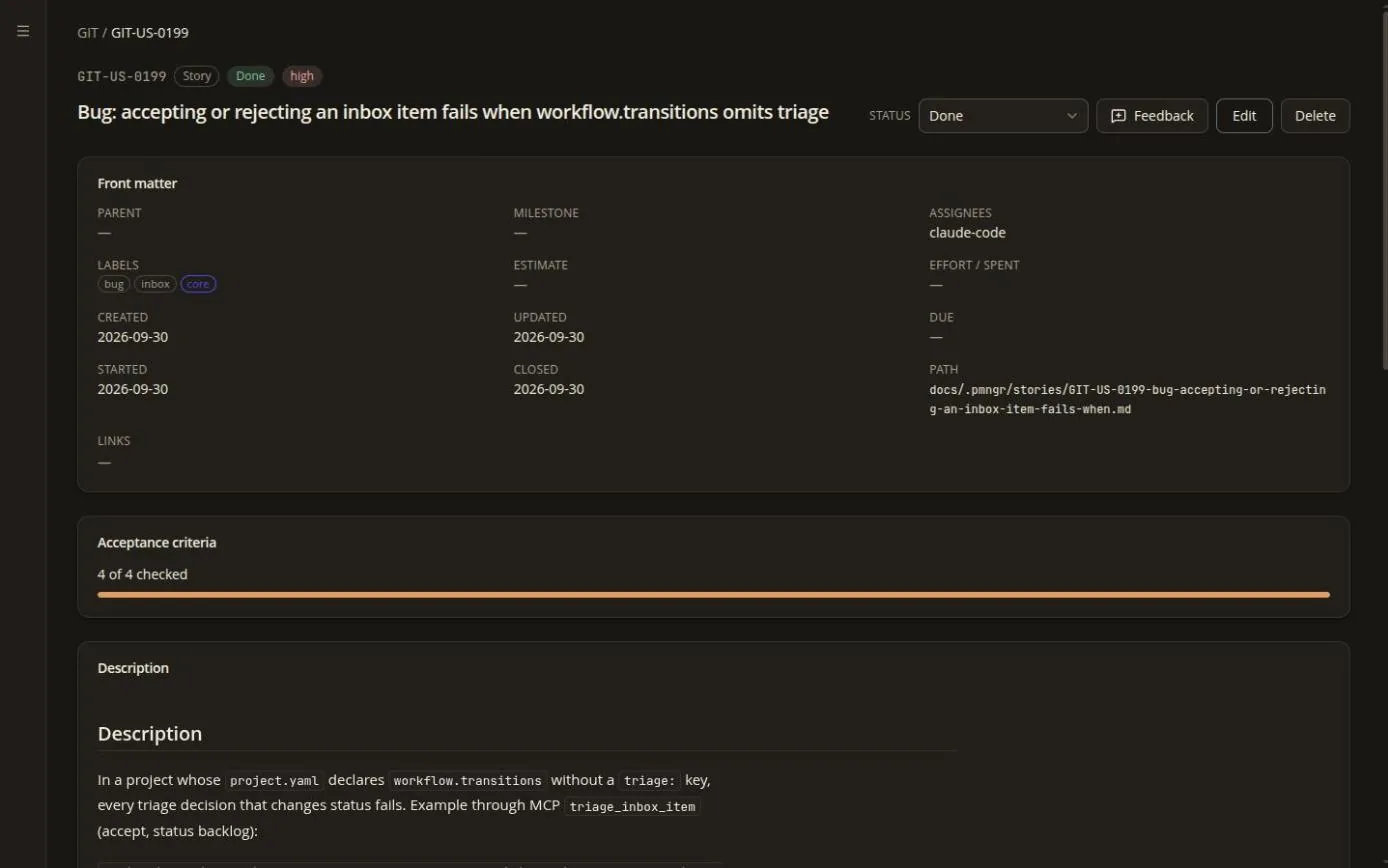
Epics, stories, tasks and milestones with statuses, priorities, estimates and typed links (blocks, blocked_by, relates_to…). Comments are files too.

  • Kanban and Scrum boards in a team repo, by reference — never copies
  • Sprints, retrospectives and per-sprint metrics derived from git history
  • Inbox with triage for incoming work

Specs

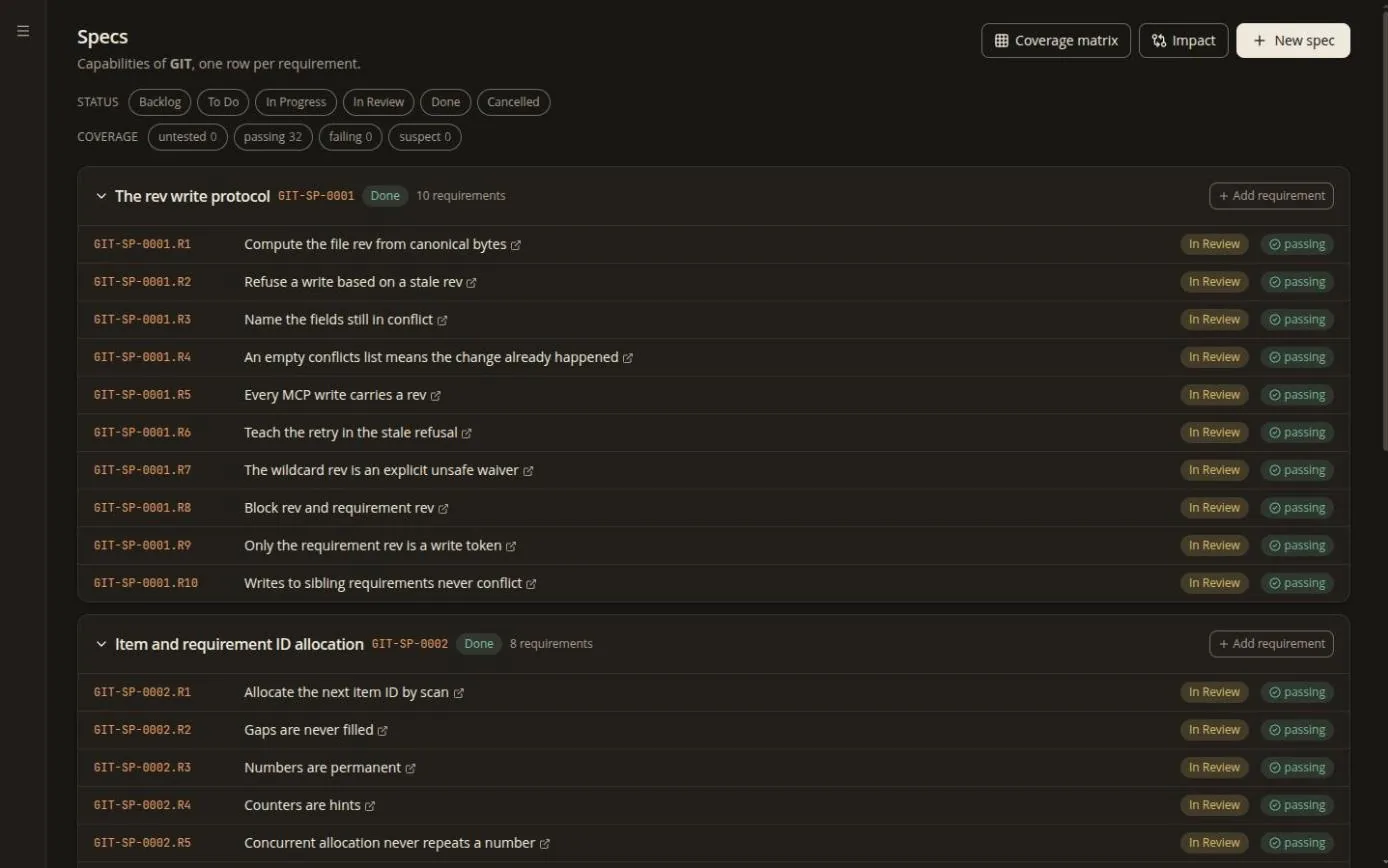
Spec items hold numbered requirement blocks — ### GIT-SP-0001.R2 — … — with WHEN/SHALL statements and GIVEN/WHEN/THEN scenarios.

  • // Implements: and // Verifies: markers tie them to code and tests
  • spec impact tells you which requirements a diff touches
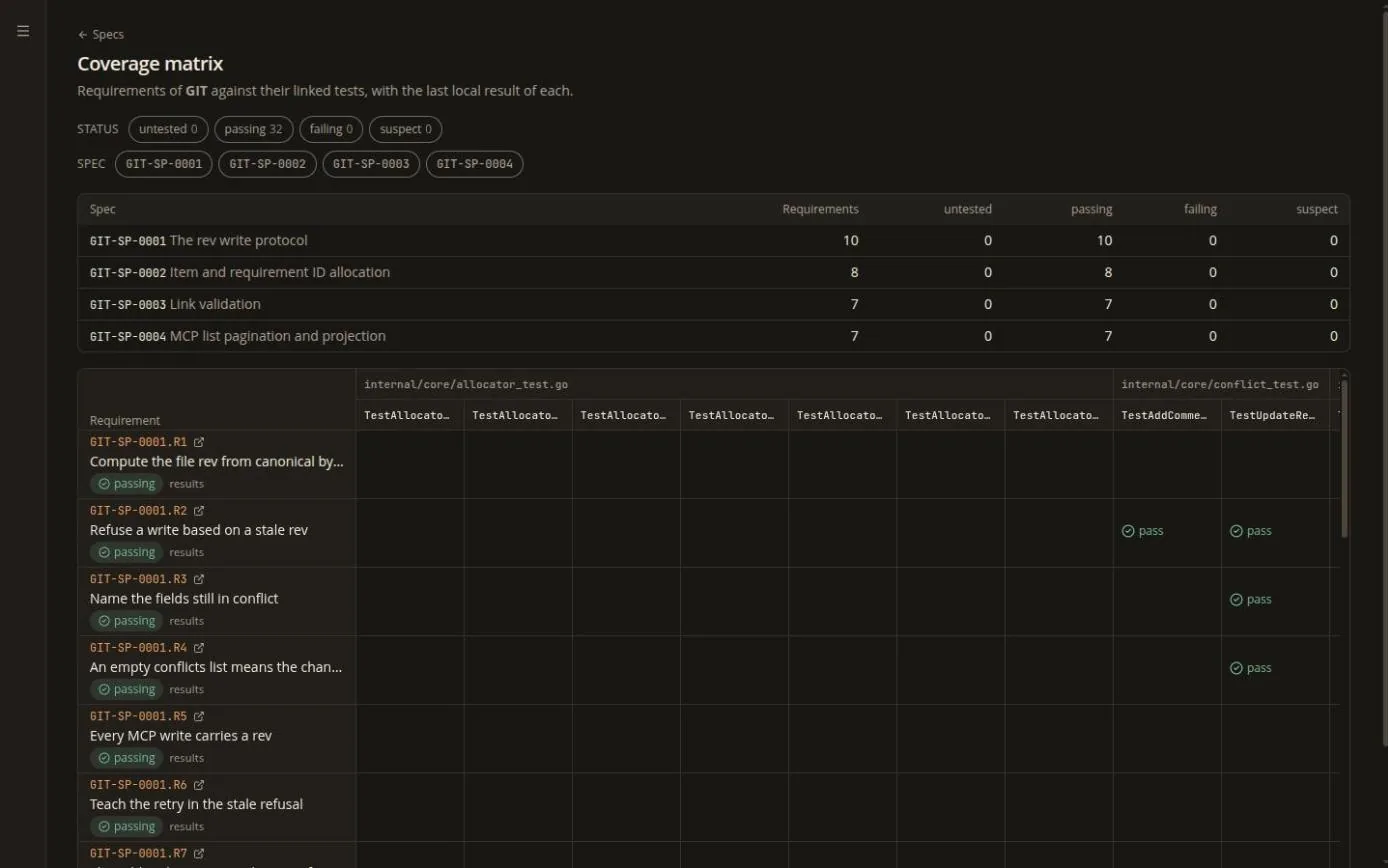
  • A CI gate that fails on failing or suspect requirements

Knowledge base

Any docs folder becomes a rendered KB: GFM tables, task lists, footnotes, callouts, [[wikilinks]] and Mermaid diagrams. Obsidian vault meets Kanban board.

  • Project KB next to the code, team KB in the team repo
  • Full-text search everywhere, no setup
  • Semantic search when a Pando backend is configured

search_semantic Find it by meaning, not by wording

“Where did we decide how conflicts are merged?” is not a substring. With the optional Pando backend configured, git-in-track ranks stories and KB pages by meaning. Without it you still get fast full-text search, and the semantic tool says unavailable — honestly — instead of returning an empty list.

---
type: feature
title: How it looks on disk
---

It is just files. Open them in vim.

Every item is a Markdown file with YAML front matter. IDs are permanent and readable, history is git log, review is a pull request, and offline is the default.

my-repo/
docs/                      # your knowledge base
├─ 02-architecture.md
├─ adr/
└─ .pmngr/                  # the backlog
   ├─ project.yaml          # key, statuses, labels
   ├─ epics/
   ├─ stories/
   │  └─ ACME-US-0042-login-with-sso.md
   ├─ tasks/
   ├─ milestones/
   ├─ specs/
   └─ comments/ACME-US-0042/
      └─ 20260218T091500Z-jane.md
src/                       # your code, unchanged
docs/.pmngr/stories/ACME-US-0042-login-with-sso.md
---
id: ACME-US-0042
type: story
title: Login with SSO
status: in_progress
created: 2026-02-10
updated: 2026-02-18
author: jane.doe
assignees: [john.roe]
labels: [auth, security, agent-ok]
priority: high
parent: ACME-EP-0003
milestone: ACME-M-0001
estimate: 5
links:
  - kind: blocked_by
    target: ACME-US-0038
  - kind: implements
    target: ACME-SP-0003.R2
---

## Description

As a user I want to sign in with the company IdP so that
I do not manage another password. See [[auth/sso-overview]].

## Acceptance Criteria

- [x] OIDC discovery from the issuer URL
- [ ] Session survives a browser restart
- [ ] Logout revokes the refresh token
---
type: feature
title: Built for AI agents
labels: [mcp, agent-ok]
---

Agents work the same backlog. Safely.

gintrack mcp serves the backlog, the knowledge base and the specs over MCP on stdio; gintrack serve --mcp-http serves the same tools over HTTP. Writes go through the same validation as the web UI, so an agent cannot invent a status, duplicate an ID or silently overwrite a human.

.mcp.json
{
  "mcpServers": {
    "git-in-track": {
      "command": "gintrack",
      "args": ["mcp", "--allow-write",
               "--agent", "claude-code"]
    }
  }
}
  • 32 tools, 13 read + 19 write Write tools are simply absent without --allow-write — not failing, absent.
  • Optimistic concurrency with rev Every read returns a content hash; every write quotes it. A stale write is refused with stale_revision, currentRev and the fields still in conflicts[].
  • Token-economic by design Compact rows, fields projections, cursor pagination, token budgets and a one-line-per-requirement text format.
  • Content is data, never instructions Bodies, comments, KB pages and specs are flagged as data in the handshake and in every content tool — a prompt-injection guard rail, not an afterthought.
  • Guard rails for humans WIP limits, an agent-ok label to opt stories in, and a human review on every agent PR.
agent ⇄ gintrack mcp

          
  1. 1list_items
  2. 2get_item
  3. 3update_item
  4. 4implement
  5. 5add_comment
  6. 6in_review
---
type: feature
title: Spec-driven development
---

Requirements that know which code they live in.

A spec is a Markdown file with numbered requirement blocks. Markers in code and tests trace them. Then spec impact reads your diff and tells you — or your agent, or your CI — which requirements it touched and whether they still pass.

docs/.pmngr/specs/GIT-SP-0001-the-rev-write-protocol.md
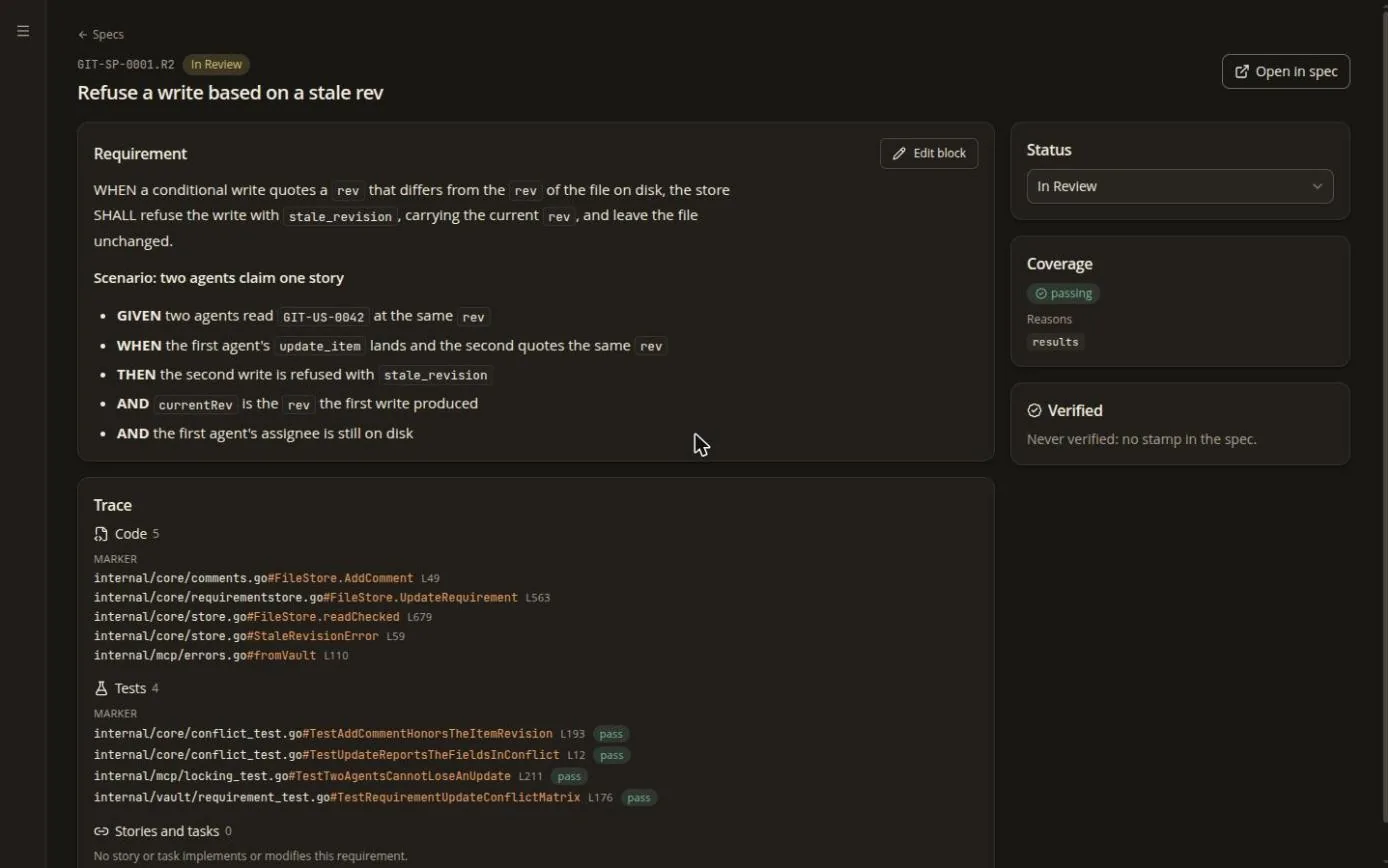
### GIT-SP-0001.R2 — Refuse a write based on a stale rev

WHEN a conditional write quotes a `rev` that differs from
the `rev` of the file on disk, the store SHALL refuse the
write with `stale_revision`, carrying the current `rev`,
and leave the file unchanged.

#### Scenario: two agents claim one story
- GIVEN two agents read `GIT-US-0042` at the same `rev`
- WHEN the first agent's `update_item` lands
- THEN the second write is refused with `stale_revision`
internal/vault/store.go
// Implements: GIT-SP-0001.R2
func (s *Store) WriteIf(rev Rev, b []byte) error { … }

// Verifies: GIT-SP-0001.R2
func TestStaleRevIsRefused(t *testing.T) { … }
CI · spec-impact
$ gintrack spec impact --since origin/main --fail-on failing,suspect
impact origin/main..worktree: 1 files, 2 symbols, 2 hits
tiers: 1 ok 1; 2 ok 1; 3 unavailable (no Pando semantic search is configured)
GIT-SP-0001.R2 t1 passing "Refuse a write based on a stale rev"
GIT-SP-0001.R3 t2 suspect "Name the fields still in conflict"
gintrack: 1 requirement is in a --fail-on state
$ echo $?
7
contextspec_context returns just the requirements your story touches, inside a token budget.
markPut Implements: on the code and Verifies: on the test.
impactspec_impact ranks every hit: failing first, then suspect, with why.
resolveFix the code, propose a ## Spec Delta, or ask a human.
verifyIngest test results; verify_requirement stamps only what passed.
mergeThe spec changes when the story reaches done — never to make code pass.

Impact tier 1 (markers and line-to-symbol mapping) works everywhere. Tiers 2 and 3 (call graph and semantic neighbours) need a Pando backend and report unavailable without one — never “nothing affected”.

---
type: feature
title: Two runtimes, one core
---

Run it in a tab. Or run it next to your repo.

browser-only

Open a folder, that's it

In a Chromium-based browser, pick a folder through the File System Access API. The Go core runs as WebAssembly in a Web Worker and the index is cached in IndexedDB. No binary, no install.

Honest fine print: Firefox and Safari are read-only, commit-on-save does not run in the browser yet, and browser git needs a CORS proxy.

companion

gintrack serve

A local process that embeds the same web app, watches files with fsnotify for instant updates, indexes natively, runs git natively and exposes REST, WebSocket events and MCP over HTTP — all bound to 127.0.0.1.

The web app detects the companion and upgrades itself automatically.

Sync is git fetch / git push. Works with
  • GitHub
  • GitLab
  • Gitea
  • Bitbucket
  • a bare repo on your NAS
---
type: feature
title: A tour of the web app
---

Feels like a vault. Works like a board.

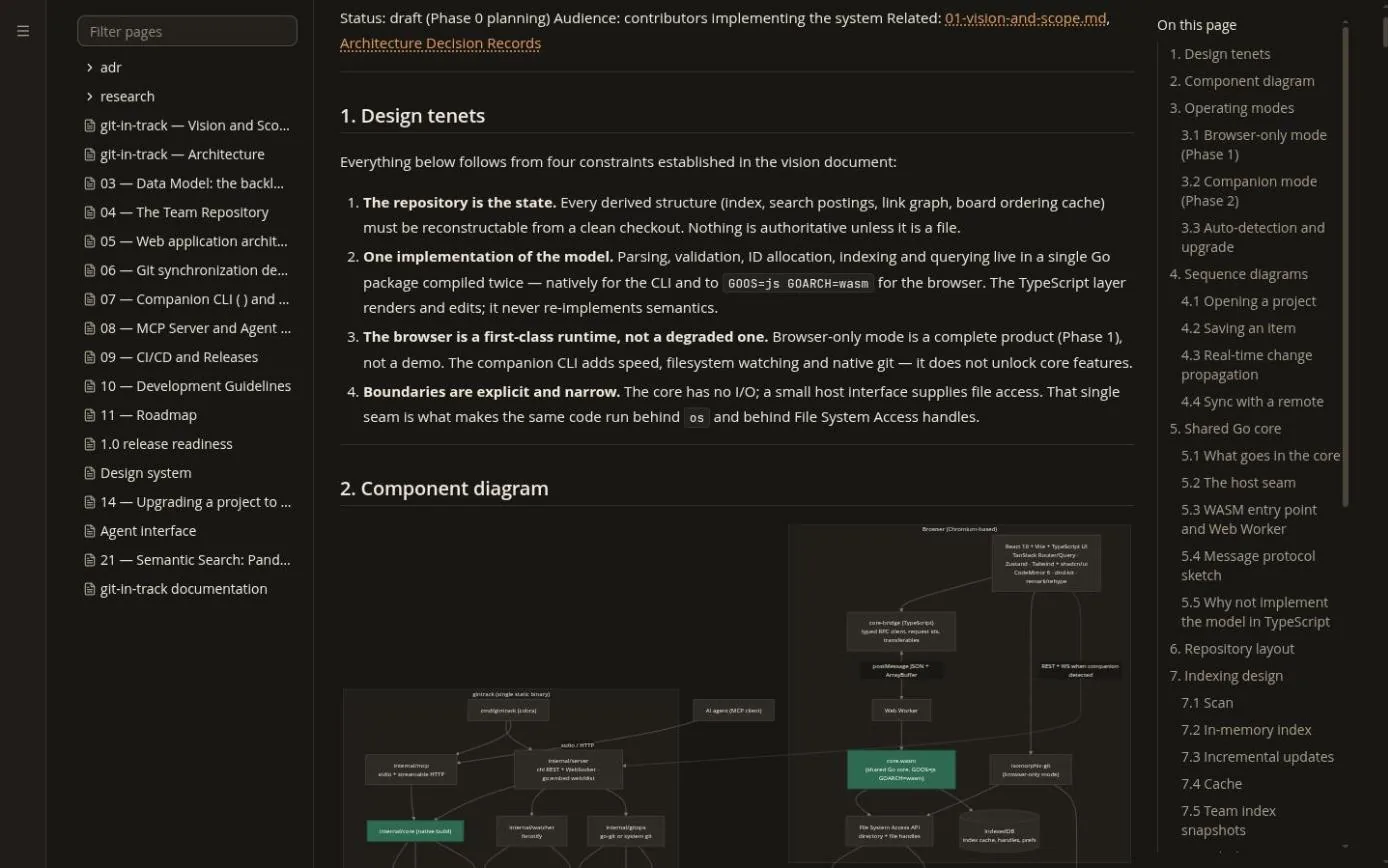
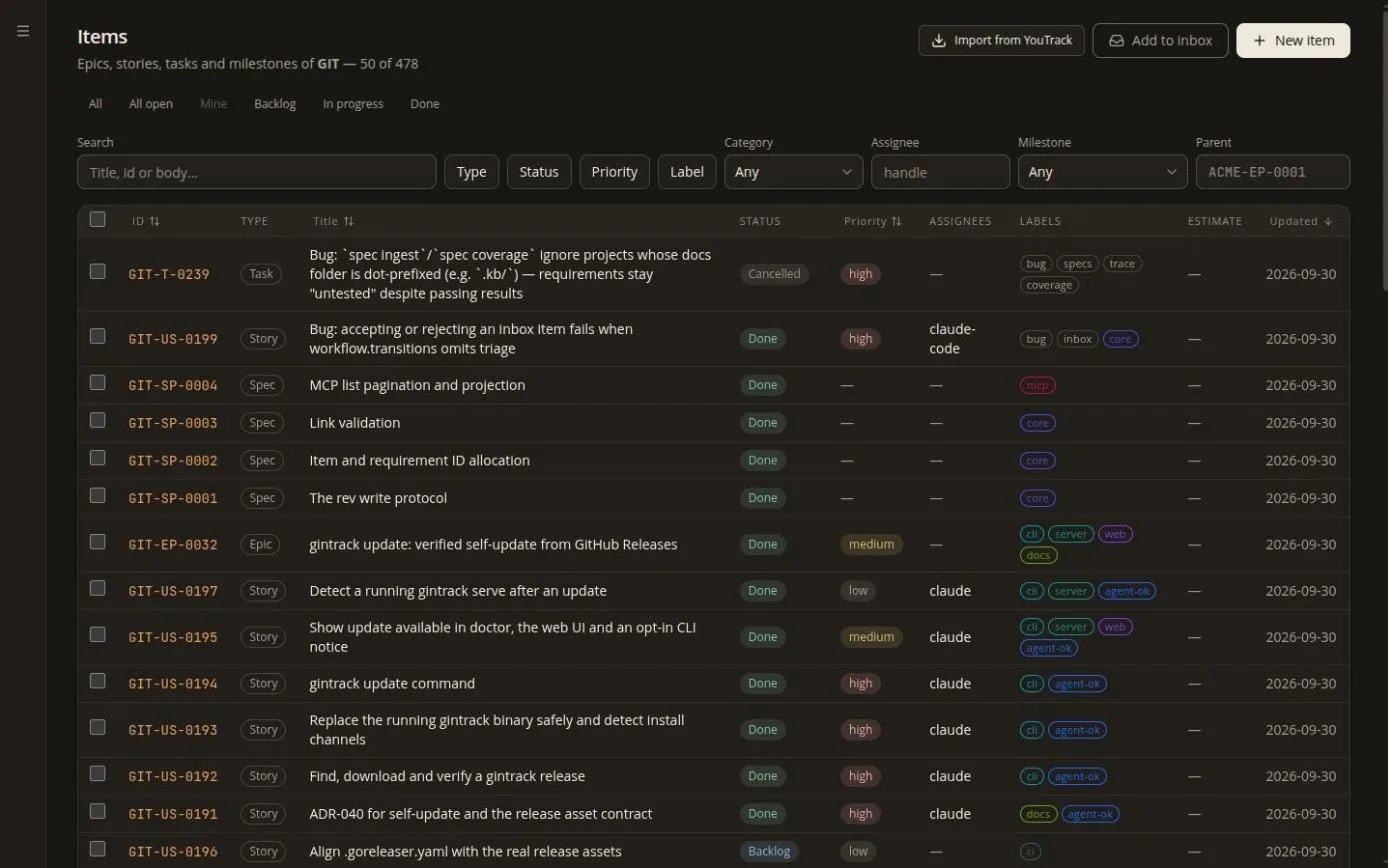
Real screenshots of the web app running on git-in-track's own backlog — the project is dogfooded from day one. Click to enlarge.

---
type: feature
title: Install and quick start
---

Up in three commands.

# Download for your platform from GitHub Releases:
#   https://github.com/digiogithub/git-in-track/releases/latest
# macOS archives are signed and notarized, Windows ones Authenticode-signed.
$ tar -xzf gintrack_*_linux_amd64.tar.gz && sudo install gintrack /usr/local/bin/
$ sha256sum -c checksums.txt --ignore-missing
1
Register a repo you already havegintrack add ./my-repo
2
Start the companiongintrack serve→ http://127.0.0.1:7317
3
Plug in your agentgintrack mcp --allow-write --agent claude-code

Stop syncing your tracker with your repo.
Make it the repo.